Auditing and Organising your AI Usage
Here’s a structured approach to auditing and organizing your AI usage, broken down into actionable steps:
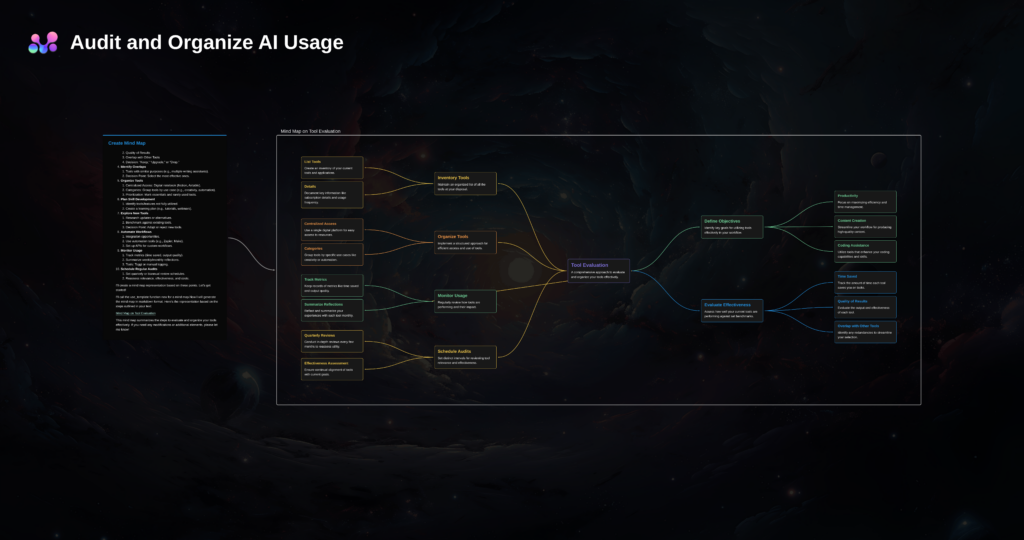
1. Define Your Objectives
- Purpose: What are you trying to achieve by using AI? (e.g., productivity, learning, business optimization, creative work)
- Categories of Use: Identify categories of AI usage such as:
- Personal productivity
- Content creation
- Coding assistance
- Data analysis
- Communication/chatbots
- Automation
2. Inventory Your Current AI Tools

- List All Tools and Models You Use:
- GPT-based models (e.g., ChatGPT, Codex)
- Image generators (e.g., DALL·E, MidJourney, Stable Diffusion)
- Automation platforms (e.g., Zapier, Make)
- Other AI services (e.g., Grammarly, Notion AI, Jasper)
- Note Specifics: For each tool, note:
- Purpose
- Subscription details (free vs paid, renewal dates)
- Frequency of use
3. Evaluate Usage and Effectiveness
- Assess Value: For each tool:
- How much time does it save you?
- How well does it meet your needs? (scale 1-10)
- Are there overlaps with other tools?
- Cost-Benefit Analysis: Compare the tool’s costs with its benefits.
4. Audit for Overlap
- Identify tools with similar functions (e.g., multiple text generators).
- Consolidate usage by choosing the most effective ones.
5. Organize Your Tools

- Centralize Access:
- Use a digital notebook (e.g., Notion, Airtable, or Excel) to document:
- Tool name
- Purpose
- Access links
- Login credentials
- Tag tools by category or functionality.
- Use a digital notebook (e.g., Notion, Airtable, or Excel) to document:
- Set Priorities:
- Rank tools by how essential they are.
- Mark rarely used tools for review (keep, upgrade, or drop).
6. Plan for Skill Development
- Identify features or tools you don’t fully understand.
- Create a learning plan for deeper usage (e.g., tutorials, forums, webinars).
7. Explore and Compare New Tools
- Research New Tools: Periodically search for new AI tools or updates to existing ones.
- Benchmark Against Current Tools: Compare new options against your current inventory.
8. Automate Your Workflows

- Look for ways to integrate tools for seamless workflows:
- Use automation platforms like Zapier or Make.
- Set up API integrations if available.
- Build custom workflows (e.g., chaining AI models for specific tasks).
9. Monitor Usage Metrics
- Track Performance:
- Time saved using tools.
- Quality of outputs.
- User satisfaction.
- Consider journaling weekly or monthly summaries.
10. Schedule Regular Audits
- Quarterly Check-ins:
- Review your list of tools.
- Evaluate ongoing relevance and effectiveness.
- Adjust subscriptions if needed.
11. Stay Informed
- Subscribe to newsletters or follow industry blogs to stay updated on:
- New releases
- Features
- Best practices
Tools to Support the Audit:
- Notion/Airtable: For organizing inventory and tracking usage.
- Toggl: To track time spent using AI tools.
- Google Sheets/Excel: Simple tracking of tools, costs, and evaluations.
- Bookmark Manager: To organize and quickly access AI tool websites.
bolao
0